Peter Steinberger: How He Builds with Codex and Claude Code — Practical AI Agent Techniques Behind OpenClaw

As AI agents change the way software is built, OpenClaw creator Peter Steinberger has become one of the most interesting developers to study.
Peter spent more than a decade building PSPDFKit into a software business with dozens of employees. After selling his shares and leaving the company, he experienced severe burnout and, for a while, wanted nothing to do with computers. AI coding agents eventually reignited his enthusiasm for building things. He first worked extensively with Claude Code, then adopted Codex as his main coding tool, and used coding agents to build what became OpenClaw.
What is most interesting about Peter is not merely how much code an agent can generate in a short time. It is how he treats AI agents as engineering collaborators: they explore a codebase, discuss designs, implement features, investigate failures, update documentation, and even help maintain the agent software they themselves run on.
Peter has discussed these methods in Lex Fridman Podcast #491, his 2025 article Just Talk To It, his Startup School 2026 talk, and other public appearances. One of the most revealing things about his approach is how it differs from that of Claude Code creator Boris Cherny. Boris once relied heavily on Plan Mode and has presented team practices involving worktrees, hooks, and skills. Peter tends to prefer direct conversations, parallel terminals, a single shared working directory, and continuous iteration. He is also quick to update his habits when stronger models make old workarounds unnecessary.
This is a feature article, not a verbatim transcript. It draws on interviews and Peter’s own writing to preserve his practical experiences with AI agents, his comparison of Codex and Claude Code, his workflow techniques, and the successes and failures that came with OpenClaw’s growth.
1. From PSPDFKit to OpenClaw: He Loves Building, Not Just Programming
Peter was a hands-on engineer for many years. He founded PSPDFKit, worked on demanding PDF software problems, and led large software teams. After leaving the company, however, he suffered serious burnout. For an extended period, he stepped away from computers almost entirely.
As AI coding agents became genuinely useful for building software, he rediscovered the joy of creation. He eventually realized that what he had loved all along was building products that people could actually use. Writing code had been one of the means to that end, not the whole point.
A small annoyance becomes OpenClaw
On a rainy day in November 2025, Peter had several coding agents working in parallel. He went to the kitchen to find something to eat and returned to discover that one of the agents had stopped on a trivial issue. There was no convenient way to send a prompt from his phone and keep the work on his computer moving.
He opened another terminal and described the idea to a coding agent. Roughly an hour later, he had a working two-way relay between WhatsApp and his computer. That little tool gradually gained more messaging integrations, context handling, and tools, ultimately evolving into OpenClaw.
Peter did not begin with a grand business plan. He wanted to fix something that genuinely annoyed him. He became his product’s first user, then invited friends to try it. Their reactions — sometimes delight, sometimes alarm — helped him realize that it might matter to a much broader audience.
At Startup School 2026, he still emphasized building something you yourself actually want to use. In a world where software features are increasingly easy to produce, a product that its creator genuinely uses and keeps improving can be much more valuable than an impressive feature checklist.
2. From Claude Code to Codex: How Peter Chooses His Tools
Peter initially loved Claude Code. He began exploring terminal-based coding agents in early 2025, and at one stage used multiple subscriptions to support more parallel work. As model capability improved, he used traditional IDEs less and less, opening them mainly when he wanted to inspect diffs.
By the time he published Just Talk To It in October 2025, he described Codex CLI as his daily driver. In his later conversation with Lex Fridman, he again made clear that he still depended heavily on Codex for deep software development, even though he had created OpenClaw.
This is a preference for a particular way of working, not a timeless ranking of models. Peter stresses that people should give a new model a real period of immersion. A single quick test isn’t enough to judge what a tool can do.
Codex: Read deeply, understand the system, then work independently
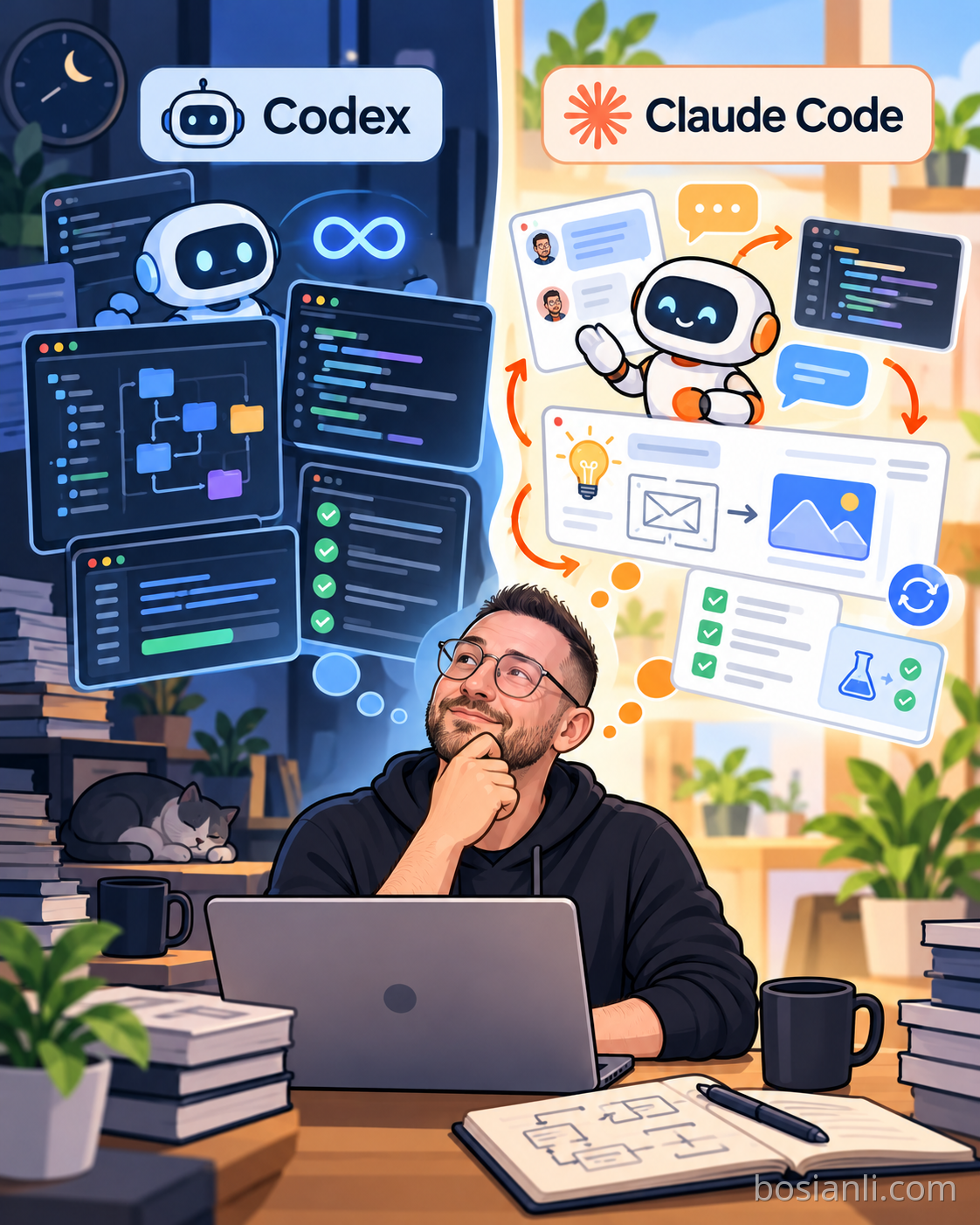
When discussing the GPT-5.3 Codex and Claude Opus 4.6 models available at the time of his Lex interview, Peter said that Codex was more likely to read a large amount of code and study the architecture before changing anything. He enjoys discussing the design in depth first, then allowing Codex to work independently for ten, twenty, forty minutes, or more without having to keep the conversation alive.
Claude Code: More interactive, creative, and quick to iterate
Peter does not deny Opus’s strengths. He regards it as an extraordinarily capable general-purpose model, particularly good at interaction, personality, and creative exploration. With the right guidance, he believes it can sometimes produce especially elegant code. In his experience at the time, though, Claude Code was more eager to start building right away, which could require more interactive steering. That distinction reflects his personal experience with particular model and product versions.
These tools do not have to compete for the same job
Peter does not see Codex, Claude Code, and OpenClaw as identical products. For him, Codex is a focused development environment, while OpenClaw is closer to a personal assistant that can be reached through mobile messaging. OpenClaw can even launch Codex or Claude Code to handle specialized engineering work.
3. Peter’s Fifteen Practical Agentic Engineering Techniques
The following techniques draw primarily on Just Talk To It and the Lex Fridman conversation. They describe habits Peter used at different times, not an official or universally correct setup, and they aren’t something every project should adopt wholesale.
Tip 1: Discuss the problem before letting an agent write code
Peter does not like creating an elaborate specification or mandatory Plan Mode workflow for every request. If the design is unclear, he simply talks to Codex: discuss the problem first, give several approaches, and do not change the files yet. Once he has made a choice, he tells the agent to start implementing it.
An illustrative prompt, not a verbatim Peter quote, might read: “Read the files involved in this feature. Explain the current architecture, identify affected modules, and give me two or three implementation options. Don’t change any code yet.” After selecting the approach, the user can ask the agent to implement and verify it.
Peter does not oppose planning; he thinks that planning should often be possible through an ordinary conversation. For hard problems, he will happily study alternative designs and sometimes request a second model’s review.
Tip 2: Treat the agent like an engineer seeing your codebase for the first time
You might know every corner of a project because you have worked on it for months. A fresh agent session may know almost nothing about it. Hundreds of thousands of lines cannot all fit into the context window at once.
Peter therefore supplies a small amount of critical orientation: if a change touches one module, the agent may also need to inspect two other related modules. He does not dictate each line of code. Instead, he uses his global understanding of the system to help the agent find the right context faster.
Tip 3: If the answer is in the repository, let the agent find it
Sometimes agents ask a long list of questions at the start of a task. Peter distinguishes between questions that really require a human decision and questions whose answers already exist in source files, settings, or documentation. When a model can reasonably answer its own question by reading more code, he tells it to do so. Only questions about what the user actually wants, how much risk they can accept, or product trade-offs need a human to make the call.
This avoids constant, low-value interruptions while keeping the clarifications and human judgment that genuinely matter. The agent should not blindly guess, but the human should not have to provide facts that the agent could research itself.
Tip 4: Use screenshots instead of writing lengthy UI prompts
Peter has said that, at the time he described his workflow, at least half of his prompts included screenshots. If he wants to change a web interface, he drags the screenshot into Codex and briefly describes the desired result. The model can identify visible strings and components and then search the repository for the corresponding implementation.
What once took several paragraphs to describe may become a screenshot and one or two sentences. Peter usually does not spend time carefully annotating every screenshot unless the task is genuinely ambiguous.
Tip 5: Speak complex prompts out loud, but still type quick shell commands
Peter is a heavy user of voice dictation, including tools such as Wispr Flow. In his Lex conversation, he joked that he had once talked to his coding agents so much that he temporarily lost his voice.
He has not abandoned the keyboard. Changing directories or typing short commands is often faster with normal text input. Voice works especially well for describing context, discussing architecture, and assigning complicated work in a conversational way.
Tip 6: Run three to eight Codex sessions in a terminal grid
In Just Talk To It, Peter described a three-by-three terminal grid with roughly three to eight Codex sessions running in parallel. One agent might tackle the main feature, while others investigate ideas, fix small bugs, update documentation, or handle related but lower-risk tasks.
He experimented with Git worktrees, but for his everyday workflow often preferred several sessions operating in the same working directory. This is a notable contrast with some worktree-heavy Claude Code team workflows.
Tip 7: Assign parallel work according to its blast radius
Peter pays close attention to the blast radius of a change: how many files, features, and shared resources it might affect. If multiple agents begin large refactors simultaneously, clean commits, testing, and integration become difficult.
He prefers one larger primary task accompanied by several smaller jobs with limited impact. If an experiment could reshape a significant part of the architecture, he may still put it in a separate directory. The goal of parallelism is not the highest number of sessions, but useful progress without one agent constantly obstructing another.
Tip 8: Use atomic commits so agents only commit their own changes
If multiple agents share a working directory, each one needs to understand that another session might be editing nearby files. Peter iterated on his agent instructions to make Codex commit only what it changed and avoid resetting or accidentally incorporating another agent’s work.
He has used a small number of custom commands such as /commit, /automerge, and /massageprs for Git and PR maintenance. But he is not a fan of huge libraries of slash commands; often simply saying “commit” is enough for his current workflow.
Running multiple sessions in the same directory requires strong discipline around Git state and file ownership. It should not be copied uncritically into unfamiliar production repositories without backups, tests, and appropriate isolation.
Tip 9: If a small task takes far too long, press Escape and ask for a status update
Experience has given Peter an intuition for how much time a task should take and how many files it should change. If a minor UI adjustment seems to have turned into hours of activity, he becomes suspicious that something went wrong.
His approach is to press Escape, ask the agent what it is doing and why it has taken so long, and then decide whether to redirect, restart, or continue. Perhaps it opened the wrong project, missed a dependency, or is trying to force a feature into an architecture not suited to it. Reframing the task is often more useful than burning more tokens.
Tip 10: Before reviewing a PR’s implementation, ask what problem it was meant to solve
When reviewing pull requests, Peter does not necessarily start at the first line of a diff. He often asks Codex to explain the underlying problem the contributor was trying to solve, then asks whether the proposed implementation is really the best one.
If Codex has not inspected related modules, Peter tells it what else to examine. Sometimes a broader refactor is cleaner than adding more patches to an awkward PR. This reframes code review around the purpose and architecture of the change, rather than syntax alone.
Tip 11: Treat code review as risk management, not an obligation to read every line equally
Peter once attracted attention by saying that he no longer reads all his code. He later clarified that he meant he did not waste time line-by-line reviewing routine, low-risk code. For a tiny UI change that looks right and passes the relevant checks, a quick review may be enough. For database internals, security-sensitive changes, critical architecture, or code from unfamiliar contributors, he reads much more carefully.
At Startup School 2026, he explicitly described this as risk management. He also emphasized that standards differed between his personal open-source work and his professional role at OpenAI; according to what he said at that time, code at OpenAI still received human line-by-line review.
Tip 12: After finishing a feature, ask how you’d design it if you started over
An agent often understands the system much better after it has actually completed a feature. Peter makes use of that newly accumulated context by asking: if we were to build this again, would there be a cleaner design? Which modules should be refactored right now?
This question can expose structural problems that were invisible at the beginning. He does not like resetting context after every phase and forcing the next session to rediscover everything the previous one has learned.
Tip 13: Finish testing and documentation while the context is still fresh
Peter does not consider working code the end of a feature. After implementation or a bug fix, he often asks the agent to check whether the tests cover the important edge cases. Documentation should also be part of delivery: purpose, architecture, module relationships, behavior, and important design trade-offs are best written by the agent that just studied and changed the code.
His typical rhythm is discussion, implementation, testing, refactoring if necessary, and documentation — often all in the same context rather than a series of sessions that must rebuild understanding from scratch.
Tip 14: Pay down technical debt regularly, spending about a fifth of your time on refactoring
In his October 2025 article, Peter estimated that roughly 20% of his time was spent on refactoring, with agents doing the actual code changes. Tasks included using jscpd to identify duplication, knip to find unused code and dependencies, eslint to enforce lint rules, and restructuring large files, updating dependencies, fixing slow tests, and maintaining documentation.
AI makes it almost too easy to add features. If a team only grows the codebase and never simplifies it, the architecture becomes harder to maintain — and that, in turn, makes the agents less effective at finding the right place to make future changes.
Tip 15: Prefer useful CLIs, and use MCP only when it genuinely adds value
Peter believes that many MCP integrations merely wrap capabilities already available through a command-line tool. GitHub’s gh CLI is one example: an agent can run it, read its help output, and use a mature interface without filling its context with a very large MCP tool schema.
That does not mean he refuses MCP entirely. When an integration enables meaningful browser inspection or interactive debugging, he has used tools such as chrome-devtools-mcp. His test is whether an integration helps solve the problem efficiently, not whether it uses the trendiest protocol.
4. A Second Model Can Review Difficult Designs Without Creating a Virtual Company
For difficult architectural problems, Peter sometimes first discusses the feature with Codex and asks it to put the results into a written specification. He may then show that specification to another powerful model and ask for alternative designs or overlooked concerns. He returns useful findings to the original Codex session rather than treating the second model’s suggestions as automatic truth.
That does not imply that every task needs a predetermined number of agents, a virtual CEO and CTO, or a complicated orchestration framework. Peter tried many agent products and concluded that some were primarily compensating for the limitations of models at the time. As the underlying models improve, these workarounds should be re-evaluated.
Visibility also matters to him. Earlier in his workflow, he often preferred a separate terminal pane for research instead of hiding everything inside a large tree of sub-agents. Separate windows gave him better awareness of what context the model had loaded and where the investigation stood.
5. From Avoiding Worktrees to Launching Twelve Sub-agents: Why His Methods Change
Peter’s position is not that sub-agents are always bad. His objection is to unnecessary orchestration and complexity imposed for its own sake.
During the Q&A at Startup School 2026, he described a test the previous day in which he asked Codex to launch twelve sub-agents. The agent studied the whole project, decomposed it into functional areas, and delegated stress testing and code reviews to different sub-agents. Results were communicated back to other sessions so the team of agents could decide what deserved deeper inspection.
When a model has become good at breaking down and coordinating work, multi-agent execution can be useful. The difference is that the lead agent can adapt the task distribution to the problem instead of the human having to prescribe a rigid fictional organization for every request.
Peter still warned that automated checks cannot fully substitute for trying the software yourself. Whether an interface feels good, whether a workflow makes intuitive sense, and whether a product is actually fun are aspects that still benefit greatly from human attention.
6. Sessions, Context, and Compute: The Real Bottleneck May Not Be the Model
Peter does not automatically clear the context after each piece of work. If a session has already studied crucial modules and continues working on a focused topic, that accumulated context is a valuable asset.
By Startup School 2026, he was increasingly treating each session as a specific topic. But this is not a rule to retain context forever: when the session becomes confused, drifts away from its purpose, or becomes too costly, restructuring or restarting can still be the better choice.
As the number of simultaneous agents grows, Peter considers managing compute a major bottleneck. One test run may spin up more than ten threads; if several sessions run tests like that at once, the machine can run short of resources and time out. Native macOS testing can also require an environment that a convenient cloud Linux session simply does not provide.
He has described working through a remotely accessible, always-on studio computer using Jump Desktop and other remote tools, allowing long tasks to continue without keeping his laptop awake. Dedicated test machines also prevent GUI-driving agents from fighting him for the same mouse and screen. The lesson is not that a particular brand of computer is required, but that agents need appropriate, manageable execution environments.
7. OpenClaw: From a Phone Message to Software That Can Modify Itself
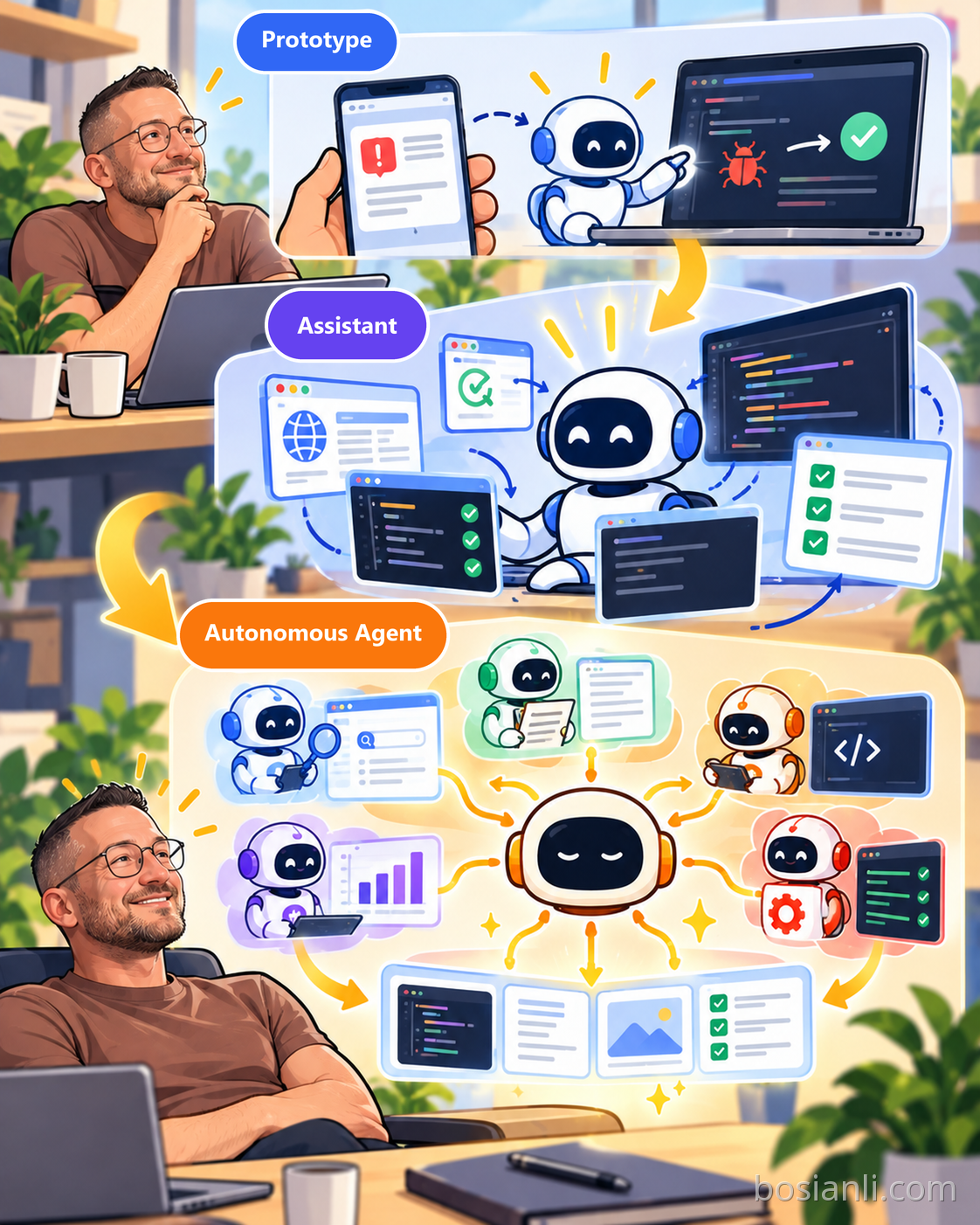
Peter designed OpenClaw so that it could understand its own model, tools, runtime, documentation, and code location. With appropriate permissions, it could inspect its own operation, investigate errors, and even help edit the source code of the software it was running on.
In the Lex interview, he described debugging by asking the agent which tools it could see, whether it could try calling them, what errors appeared, and whether it could read the source and find the likely cause. Software was becoming involved in its own maintenance. But doing this reliably still requires version control, tests, and permission boundaries.
An accidental WhatsApp voice message
Peter also described accidentally sending his agent a voice message. Instead of simply failing because no special voice workflow had been configured, the agent inspected the received file, discovered available tools, processed the audio, and replied. That was the magical part for him: the developer did not have to anticipate every possible input and hard-code the complete solution. The agent could compose an answer out of tools that were already available.
Codex for focused development; OpenClaw for daily life and coordination
Peter draws a clear distinction between hours of focused software work and a personal-assistant interaction. When he wants to build deeply, he prefers large screens and Codex. When he wants to assign work by phone, explore a GitHub link, or handle everyday tasks, OpenClaw is more natural. OpenClaw can then delegate the engineering parts to Codex or Claude Code.
The longer-term idea is that the personal agent may become a coordination layer across many specialized tools and other agents, rather than just another chat window.
8. What OpenClaw’s Viral Growth Taught Him: When Features Are Easy, Saying No Matters More
OpenClaw expanded from a personal experiment into a huge open-source project. Peter found himself overwhelmed by issues, PRs, security reports, media requests, and administrative work. At one point he even stopped using the product he had originally loved.
At Startup School he admitted accepting too many features. In order to preserve compatibility, the project accumulated a great many settings, making testing and maintenance far more complicated. He cited approximately 9,500 combinations of configuration options as a way to illustrate the problem. Being able to generate code quickly does not make the cost of maintaining it disappear.
That experience led him to use a vision.md in newer open-source projects, explaining what the product is supposed to be and where it should go. Even an exciting feature may not belong in the core. It might be better released as a plugin, extension, or independent skill.
Security must not depend on Markdown prompts alone
Early on, Peter had written guidance in agents.md telling the agent not to make dangerous tool calls unless the request came from him. When the project faced real attackers and many users, however, he invested in sandboxes, allowlists, permissions, and carefully constrained file operations.
The lesson is important: prompts can guide behavior, but they are not a substitute for operating-system and application-level security boundaries. Risks acceptable in a personal prototype cannot simply be carried into a public production service.
Depending on a model provider creates product risk
Peter also said that although he initially built OpenClaw largely using Codex and GPT, its harness became heavily optimized for Opus at one stage. Changes in a model provider’s subscription or usage arrangements could therefore affect user access and the product’s experience. He became more conscious of supporting different model and execution environments.
This does not mean rejecting powerful cloud models. It means recognizing that when a product relies on a particular model usage arrangement, the supplier’s policies and commercial terms are also part of the architectural risk.
9. Always-on Agents Must Learn Not to Waste Resources
Peter thinks highly autonomous agents are becoming technically feasible, but “always available” should not mean “always burning tokens.”
He described weaknesses in early heartbeat approaches. If a session contains enormous context, waking it after caches expire can mean uploading all that context again just to discover that there is no meaningful new work. This can waste an extraordinary amount of compute.
Better agent systems need smarter triggers, context and memory management, resource scheduling, stop conditions, and task priorities. In other words, decide whether a task is worth doing — and worth doing now — before paying the cost of a large model run.
Peter has also discussed the labels loop, graph, and workflow. At heart, he says, they are versions of automation: receive a trigger, process input, make decisions, take actions, and inspect results. Agents can make that process more adaptable, but the engineering ambition of making computers work on our behalf is not new.
10. Why He Does Not Want Product Creation Reduced to a Completely Automated Pipeline
Peter wants agents to do much more work autonomously, but he does not want human creators removed from the creative process. He believes good products often emerge through small prototypes, first-hand use, noticing rough edges, coming up with fresh ideas, and iterating quickly — not by writing an enormous specification once and asking a workflow to build the entire final result without interruption.
He doubts that an agent can fully replace a creator’s sense of taste, delight, and product judgment. Which features deserve to be in the core? Does the interface feel right? When should you stop adding options? Those are still meaningful decisions for the person building the product.
That is why Peter happily delegates vast amounts of coding yet still personally tries out the software and rethinks its direction when building stops being enjoyable.
11. Peter and Boris Cherny: Two Different Philosophies of Agentic Engineering
Both developers understand traditional software engineering deeply, and both readily hand a growing amount of implementation work to agents. Yet their personal styles are not identical.
Boris previously emphasized Plan Mode, while the Claude Code team has shared worktree, hook, skill, and automation practices. Peter prefers direct conversation, does not rely on worktrees as a default, and uses screenshots, voice, and terminal windows to keep the iterative process fast.
Both care about verification. Peter adds special emphasis on scaling code-review depth to the actual risk of a change and on getting a feel for the product himself. He is willing to use sub-agents but does not want orchestration for its own sake.
The point is not to declare a winner. It is to notice that even the world’s most experienced agentic developers keep changing their own methods as the models become more capable. What is worth learning is not just the configuration, but why it worked in that particular setting and at that particular time.
12. Fun Is Velocity: When Building Software Gets Easy, Focus Becomes Scarce
At Startup School 2026, Peter expressed one of his biggest lessons in three words: Fun is velocity.
When he was excited about building a tool he genuinely wanted to use, the project could improve at remarkable speed. When outside pressure, administrative work, and endless requests pulled him away from creation, the product drifted toward more and more settings, compatibility burdens, and maintenance obligations.
Peter believes the hardest problem in the future may not be writing code at all. It may be identifying a worthwhile problem, maintaining attention, deciding where a product should go, and making something people genuinely enjoy using.
He once thought he loved programming itself. Now he sees more clearly that he loves making things. AI agents lower the technical barrier to software creation, but do not automatically solve product value, trust, usability, or long-term maintenance.
As coding agents take over more and more implementation work, the creator’s most important skill may be understanding what is worth building — and continuing to shape it into a product worth using.
References and Sources
This is an edited feature based on the materials below, not a reproduction of Peter’s interviews. Individual workflows, model names, metrics, and features should be interpreted in the context of their publication dates. Check the current product documentation before reproducing the tooling in a live environment.
- Peter Steinberger: Startup School 2026 talk (Chinese transcript on this site, not publicly available)
- Y Combinator / Root Access: What Happens When Everyone Lets It Cook (August 10, 2026) (opens in new tab)
- Lex Fridman Podcast #491: Peter Steinberger and OpenClaw — full transcript (opens in new tab)
- Peter Steinberger: Just Talk To It — The No-BS Way of Agentic Engineering (October 14, 2025) (opens in new tab)
- Peter Steinberger: About — professional biography (opens in new tab)