The Best Operating System Is Your Native Language: From Linuxows to AINOS, My Take on the AI Agent Revolution
Lately, I’ve been thinking about a question: how will the arrival of AI agents change the way we use computers?
For decades, we’ve spent huge amounts of time learning Windows, Excel, Word, Photoshop and all kinds of other software. We’ve learned how to operate systems, studied software features, memorized keyboard shortcuts and even treated mastery of these applications as a professional skill.
But the reason people use computers has never been to learn how to operate that software.
We use computers to solve problems, get work done, entertain ourselves and socialize. Phones have already taken over much of what computers used to do for entertainment, socializing and everyday information processing. For the office work that still requires a computer, we may remain tied to Microsoft Office. But think about it: much of that work is essentially just moving text and data around.
What we really need is to get the work done, not become experts at operating the tools.
Since seeing firsthand what AI agents such as Claude Code and Codex can do, I’ve fundamentally changed my view of how we should use computers.
Now I don’t even want to open Excel!!!
That thought took me from an operating system concept I called Linuxows to AINOS, and to what I see as a Gutenberg revolution now unfolding in computing.
Linuxows: Why Can't Linux Offer the Windows User Experience?
Recently, I came up with an operating system concept called Linuxows: a system built on the Linux kernel that offers the Windows user experience.
I know some Linux advocates strongly dislike making Linux look like Windows. Linux’s development depends on a huge number of open-source contributors, with many businesses involved as well. But I think the Linux desktop has long been largely built around developers’ needs. Even with distributions such as Ubuntu trying to make things easier for ordinary users, I still think there’s a substantial gap between their user experience and Windows.
But I’m not interested in debating which is better, Linux or Windows. My point is that we’ve all been conditioned by the operating systems we’ve used for years.
I’m thoroughly used to Windows File Explorer, its context menus, taskbar, keyboard shortcuts, window controls and the way it responds to my actions. I don’t need to rethink how to do everything, because those actions have become habits.
So if Linux could fully reproduce those interactions and responses, I honestly wouldn’t care whether the Windows NT kernel or the Linux kernel was underneath. I have no reason to insist on the Windows brand. What matters to me is the user experience I’m familiar with.
In the past, recreating the full Windows experience on Linux might have required enormous development resources. But now we have AI agents. If I don’t like a feature in a Linux file manager, I can tell Codex to change it to work the way Windows does. If a context menu doesn’t suit my habits, let the agent change it. If I need Chrome, Remote Desktop (RDP) or other everyday features, let the agent install, configure and integrate them.
If an AI agent can already develop and modify software for me, why should I put up with someone else deciding how I have to use it?
DHH's Omarchy: Anyone Can Build Their Own Operating System
DHH (David Heinemeier Hansson) gave me a lot to think about with Omarchy (opens in new tab), a Linux distribution based on Arch Linux that brings together components such as Hyprland and Quickshell.
DHH didn’t set out to make Omarchy imitate Windows or macOS. Instead, he combined his preferred keyboard controls, tiling windows, terminal and development tools into a work environment that suits his own habits.
I was deeply impressed by the way DHH uses AI agents to reshape his work environment. It made me think: I could stand on DHH’s shoulders, use Omarchy as a foundation and build a Linuxows that fits my own Windows habits.
Of course, some people would scoff at that. So what? DHH likes his way of working. I like mine.
Why should I have to convince a Linux developer that Windows context menus suit me better? Why should I have to beg an open-source community to build me an operating system that better meets ordinary users’ needs, even if some technical experts think that makes it too eager to cater to mainstream users?
These things used to require developers with the technical skills. Now I can ask my own AI agent to do them. I don’t even need to build a Linux distribution from scratch. Have the agent study mature open-source projects, then modify, integrate and test them to suit my needs, and I have a chance to build a work environment of my own.
In the End, I Realized I Didn't Need to Build Linuxows at All
But as I kept thinking about it, I reached a different conclusion.
I have no need to spend time building Linuxows.
I’m already thoroughly used to Windows, and right now it meets my needs perfectly well. Why spend time switching to another operating system? If a Windows feature stops meeting my needs in the future, I can ask an AI agent to develop a tool or change whatever can be adjusted. Wouldn’t that solve it?
What about Linux? Suppose I want to use it to run a server in the future. Would I have a reason to build my own distribution? Again, the answer is no.
All I need to do is install Claude Code on Linux and provide the necessary permissions and work environment. Then it can handle a great deal of system administration for me. I don’t even need to master a whole collection of Linux commands. Installing software, configuring services, editing configuration files, checking logs, troubleshooting and deploying websites can all be handled by an AI agent.
I just need to tell it what I want to accomplish.
AI agents give me the power to build a personalized operating system, while also removing the need to build one.
The Best Operating System Is Your Native Language
When Steve Jobs introduced the first iPhone in 2007, he said that we’re all born with the best pointing device: our fingers. He didn’t think users needed to carry an extra stylus to operate a phone.
That makes me wonder: why have we spent so much time learning how to operate computers? Traditional operating systems have long revolved around windows, menus, icons and a mouse. Those ways of interacting were certainly significant in their day, but they were also shaped by the technical limitations of the time. We’ve been confined to that framework for decades.
DHH has also talked about describing programming requirements directly in English and having an AI agent implement them. His enthusiasm for natural language as a way to program made me think of something else:
If the best programming language is natural language, then I think the best operating system is your native language, too.
For DHH, that’s English. For me, it’s Traditional Chinese.
Why should I have to learn Linux commands to manage Linux? Why must I learn Excel formulas and features to analyze data? Why must I learn how to operate Photoshop to create an image?
What I really want is to tell the computer what I’d like it to do, in a language I’m comfortable using.
If Linux commands need to be run, let the agent run them. If code needs changing, let the agent change it. If I need a graphical interface, let the agent build it.
I no longer need to adapt to the way software works. An AI agent can create a way of working that suits me.
I Don't Even Want to Open Excel Anymore!
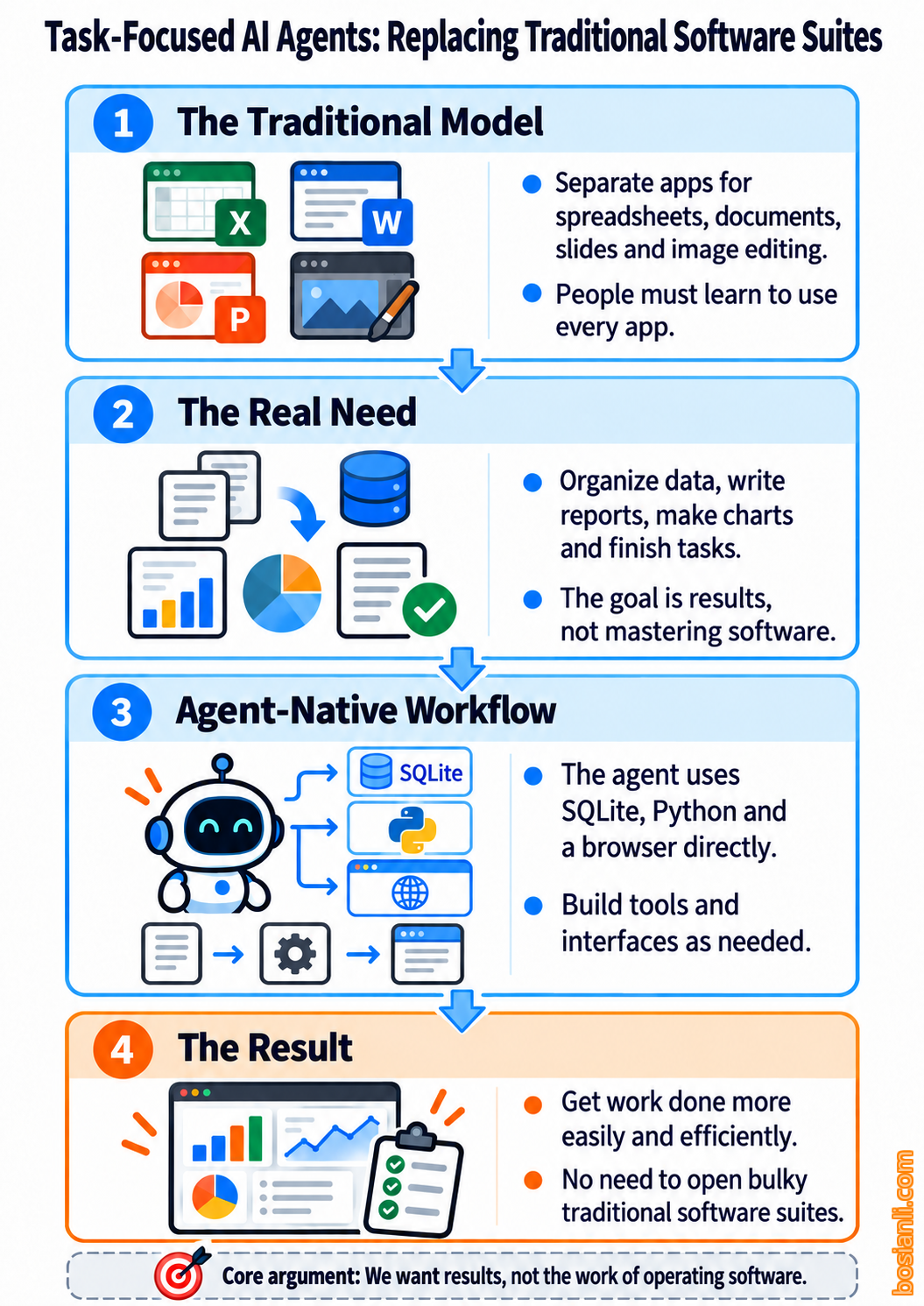
Excel is a perfect example. How many people have spent huge amounts of time learning it over the past few decades? Formulas, pivot tables, macros, keyboard shortcuts and endless operations across tightly packed cells. In many businesses, being good at Excel has even become an important professional skill.
But here’s my question: are we working in order to use Excel, or using Excel because we have to get the work done?
Honestly, I don’t even want to open Excel anymore!!!
All those tiny, crowded cells, functions and menus, and spreadsheet logic carried over from thirty or forty years ago. We should have had an easier, more efficient way to work long ago.
We used to have to accept those interactions because of the technical limitations and development costs of the time. But now AI agents are here.
If I want to organize data, why do I need to open Excel myself? If I want to calculate statistics, why must I set up formulas, select cells and create pivot tables? If I want to produce a report, why must I keep copying and pasting between different applications?
I can tell an agent: "Organize this data, identify the important changes and produce a statistical report." It can choose the right tools and handle the organization, analysis and output itself. Whether the final deliverable is an Excel file, a PDF or a web report is simply a choice of output format.
Of course, some businesses still depend on Excel-specific VBA, add-ins, financial models and workflows. But that’s a compatibility requirement for particular features. It doesn’t mean all our data processing must continue to revolve around Excel.
I don’t want a smarter Excel. I want to avoid having to operate Excel at all.
SQLite, SQL and Interfaces Built on Demand
Think about it: Excel handles data storage, calculation, organization and visualization. Much of that structured data processing could easily be handled by a database such as SQLite.
Modern Excel’s .xlsx format is a ZIP package containing XML and other data; the older .xls format is binary. Excel’s cell-based model and SQLite’s relational data structures aren’t exact, one-for-one substitutes, either.
But for a great deal of business data organization, querying, statistics and analysis, I think SQLite and SQL are already enough. And AI agents are very good at generating SQL, Python and other data processing code.
I don’t need to put data into a mass of cells and click around with a mouse. Just let the agent process it through SQL.
What about a graphical interface? Even simpler. The agent can use HTML, CSS and JavaScript to generate the tables, charts and controls I need right in a browser. Need a sales analysis dashboard today? Have the agent build it. Want different interactions tomorrow? Ask it to change them. Need 3D visualization? Use Three.js. For a more complex interactive interface, it could even use Godot.
Why should we be constrained by interfaces a software vendor designed for us in advance?
More importantly, I often don’t need an interface at all. If I’ve asked an agent to organize data, it can just give me the results when it’s finished.
AINOS: AI in OS, AI and OS
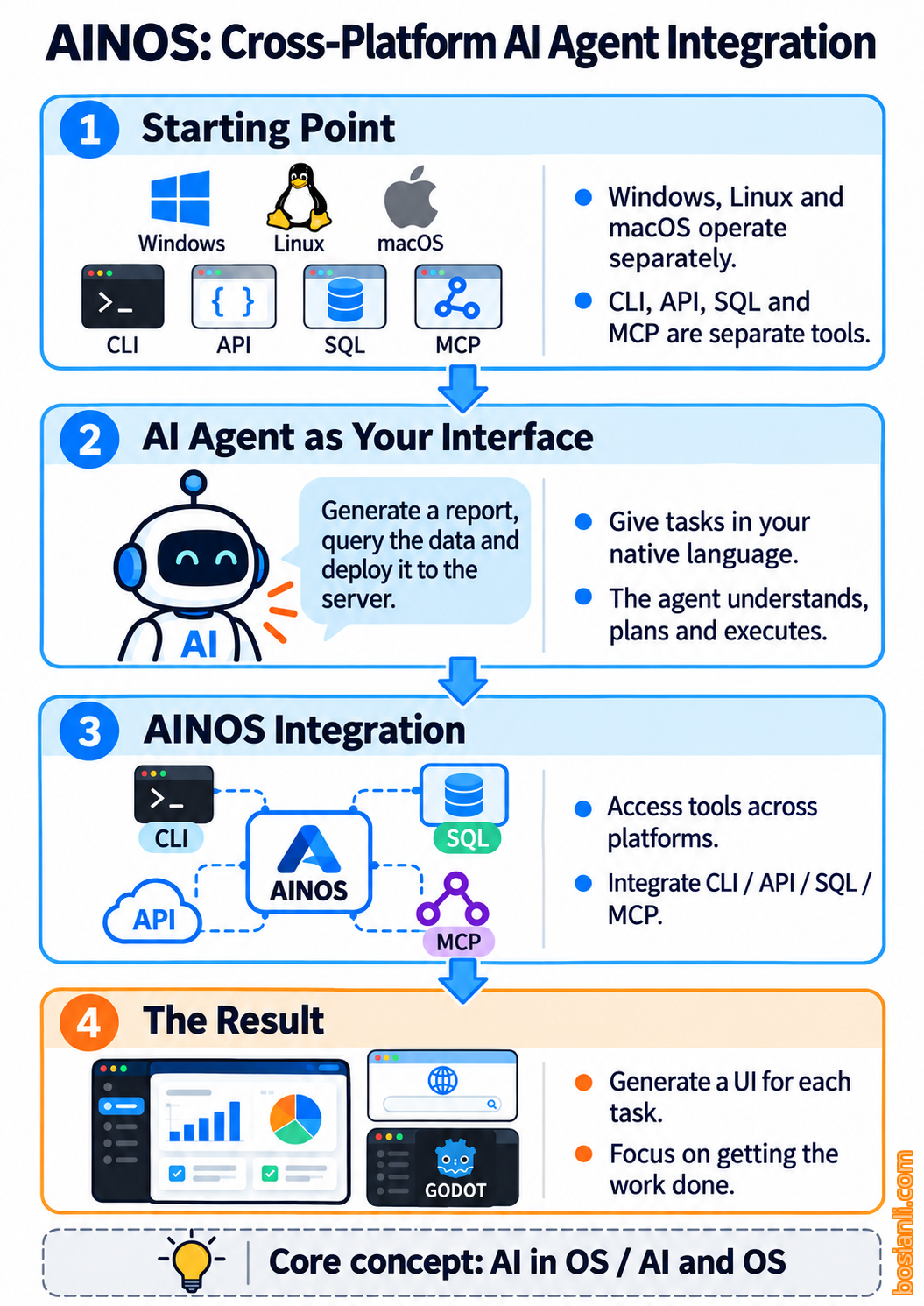
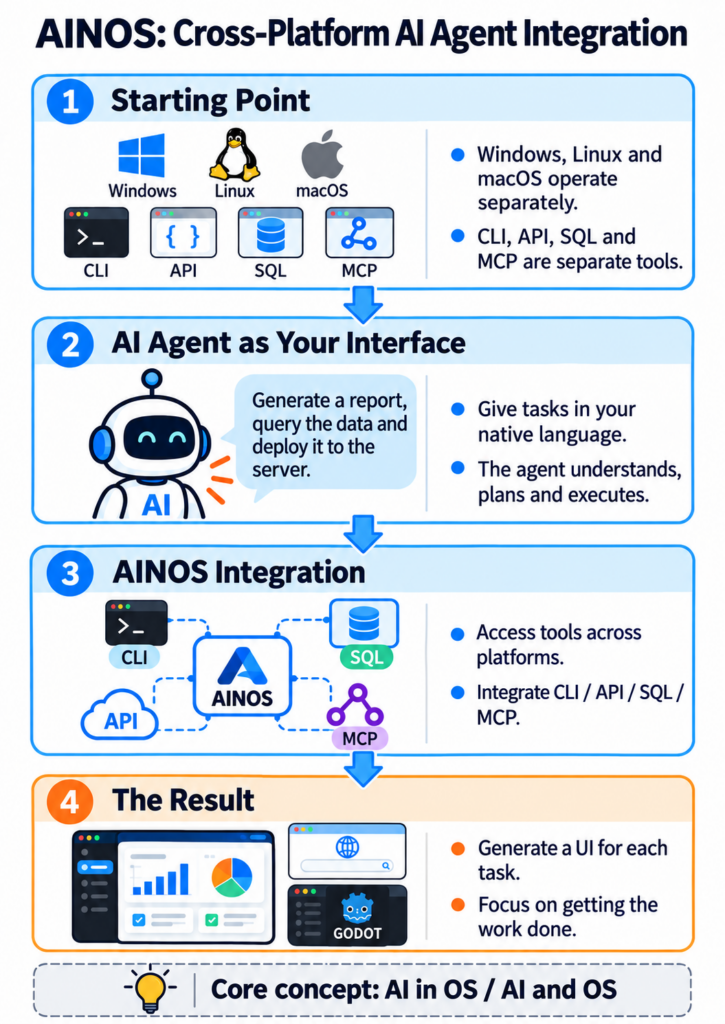
As I kept thinking about these questions, I came up with another concept: AINOS.
AINOS can stand for AI in OS, or AI and OS.
But it isn’t another Windows, or a new Linux distribution.
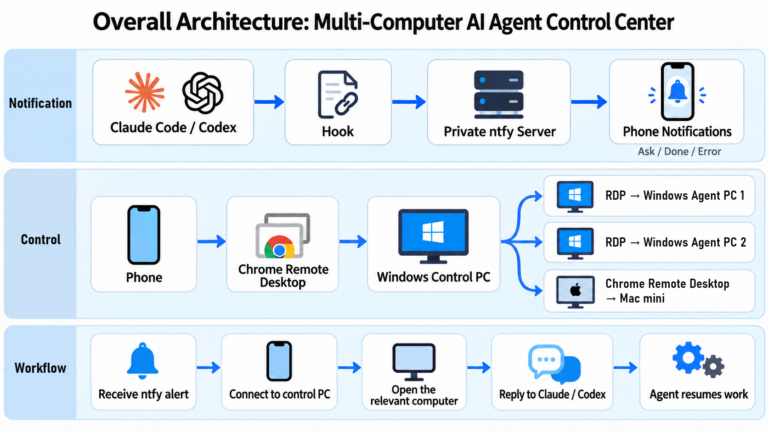
I think AINOS should be a way to integrate AI agents across different operating systems. It could run on Windows, Linux and macOS, and even span multiple computers and servers.
Operating systems would still handle hardware, files, processes, networks, permissions and other underlying functions. But users would no longer need to work through all those complicated software interfaces themselves. Their own AI agent would be what they actually interact with.
I could tell the agent what task I want to accomplish in natural language. The agent would then get it done through CLI, API, SQL, MCP or other suitable tools. If I need a UI, it could build one on demand. For complex interactions, it could use a browser or even Godot to create a work environment that’s like "an operating system inside an operating system."
And that UI wouldn’t be decided for me by an operating system vendor. It could be built entirely around my needs and habits.
Today, I want to check how my websites are running, so it generates a website management interface. Tomorrow, I want to analyze data, so it builds an analysis interface. The day after, I want to develop games, so it switches to an environment suited to game development.
The core of AINOS isn’t teaching an AI agent to operate traditional software. It’s letting the AI agent become the user’s work environment itself.
Everyone has different work, habits and preferences. Everyone could have their own agent build the version that best meets their needs.
Microsoft's Copilot, and My Serious Doubts About It
On October 7, 2026, Microsoft announced a new Windows AI strategy (opens in new tab) called Hybrid Intelligence, emphasizing cooperation between local and cloud models so AI agents can work according to the demands of each task.
Microsoft also announced plans to strengthen Windows Copilot’s Local Context, Local Actions and Local Models capabilities, allowing it to understand the computer’s environment, work with files, carry out tasks and use local models for some work. Those Copilot features are being introduced gradually. An announcement doesn’t mean they’re already available everywhere.
After reading the promotional material, my first thought was: is Microsoft still trying to convince users that Windows and Copilot must remain the center of the entire work environment?
As someone who already uses Claude Code and Codex extensively, I don’t see many of these heavily promoted capabilities as an astonishing new world. I’m already having agents manage websites, modify code, operate databases and build features. I don’t need to wait for Microsoft to add a new Windows feature before I can work this way.
Of course, Microsoft hasn’t completely ignored third-party agents. It explicitly announced that Microsoft Execution Containers (MXC) supports agents such as Codex, with plans to expand its partnerships. But that only makes my doubts stronger.
Microsoft’s direction is still to integrate AI agents into Windows and its existing product ecosystem. My direction is the opposite.
I want the operating system to recede into the underlying infrastructure, while my own AI agent decides which tools to use, how to process data and how to generate interfaces.
Microsoft could certainly provide comprehensive MCP support for Windows so agents can use more system functions, and it could give Office full MCP support as well. But I still think that approach is too cumbersome. It isn’t customizable enough, and for a user’s own AI agent, it may not be the most natural or efficient way to integrate things.
Suppose I want to organize some data. An agent can do that directly with SQLite, SQL and Python. Why would I need to launch Excel and then use MCP to operate that enormous spreadsheet system? If an agent can already generate a web UI for me directly, why must I keep using Office’s default interfaces?
MCP can certainly be useful. But that doesn’t mean every task must go through a traditional application with another layer of MCP on top.
When AI agents can do the work directly, why do we still need so much traditional software?
I’m just as skeptical about Microsoft’s emphasis on cooperation between local and cloud models. I don’t dispute the advantages local models can offer in cost, privacy and some tasks. But for me, what matters most is always the model’s capability and the final result.
As long as the strongest cloud models deliver better agent capabilities, I’ll readily use them. I won’t give up higher productivity just to insist on local computing.
To me, packaging local and cloud models in one attractive marketing concept while downplaying the difference in their ability to handle complex tasks is burying your head in the sand. It’s also the kind of marketing brainwashing I deeply resent.
I also wonder whether Microsoft will be willing to face a direction that could weaken the commercial value of its existing software, as more users adopt ways of working centered on their own agents. I even think large tech companies may well use their resources, through marketing, standard-setting and even foundations and ecosystem integration, to try to keep this revolution within their own commercial systems.
But whatever strategy Microsoft eventually adopts, I don’t think it will collapse as a result. It has a vast base of enterprise customers, a software ecosystem and technical resources. And this revolution doesn’t need Microsoft to collapse in order to succeed.
What really matters is that users are beginning to gain the power to choose for themselves how they work.
The Era of Computer Experts Is Over
I have to say it: I think the era of computer experts is over.
What I mean is the era when ordinary users had to depend on technical experts to get the software they needed.
In the past, if we weren’t happy with a Linux distribution, all we could do was raise the issue in its community and ask developers to change it. If we disliked a software feature, we had to wait for the vendor to update it. If we wanted a tool that perfectly matched the way we worked, we might have to pay for expensive custom development.
Even when ordinary users had good ideas, they often couldn’t put them into practice because they couldn’t develop software. But AI agents are changing that relationship.
Now users can tell an agent what they want, have it study code, find open-source projects, develop features and run tests, then keep refining the result based on feedback.
I don’t need a Linux expert’s approval to get the context menu I like. I don’t need a software company to approve my feature request before I can have a tool that suits me.
That doesn’t mean complex engineering problems no longer exist. It means ordinary users no longer need to secure an expert’s help before they can even start putting their ideas into practice.
If I don’t need all of Photoshop, just a few features, why can’t an agent build me a simple tool? If I don’t need the whole Office suite, just data organization and reports, why can’t I have an agent do that directly?
I don’t need software with a thousand features. I just need a tool that solves the problem in front of me.
A Gutenberg Revolution in Computing
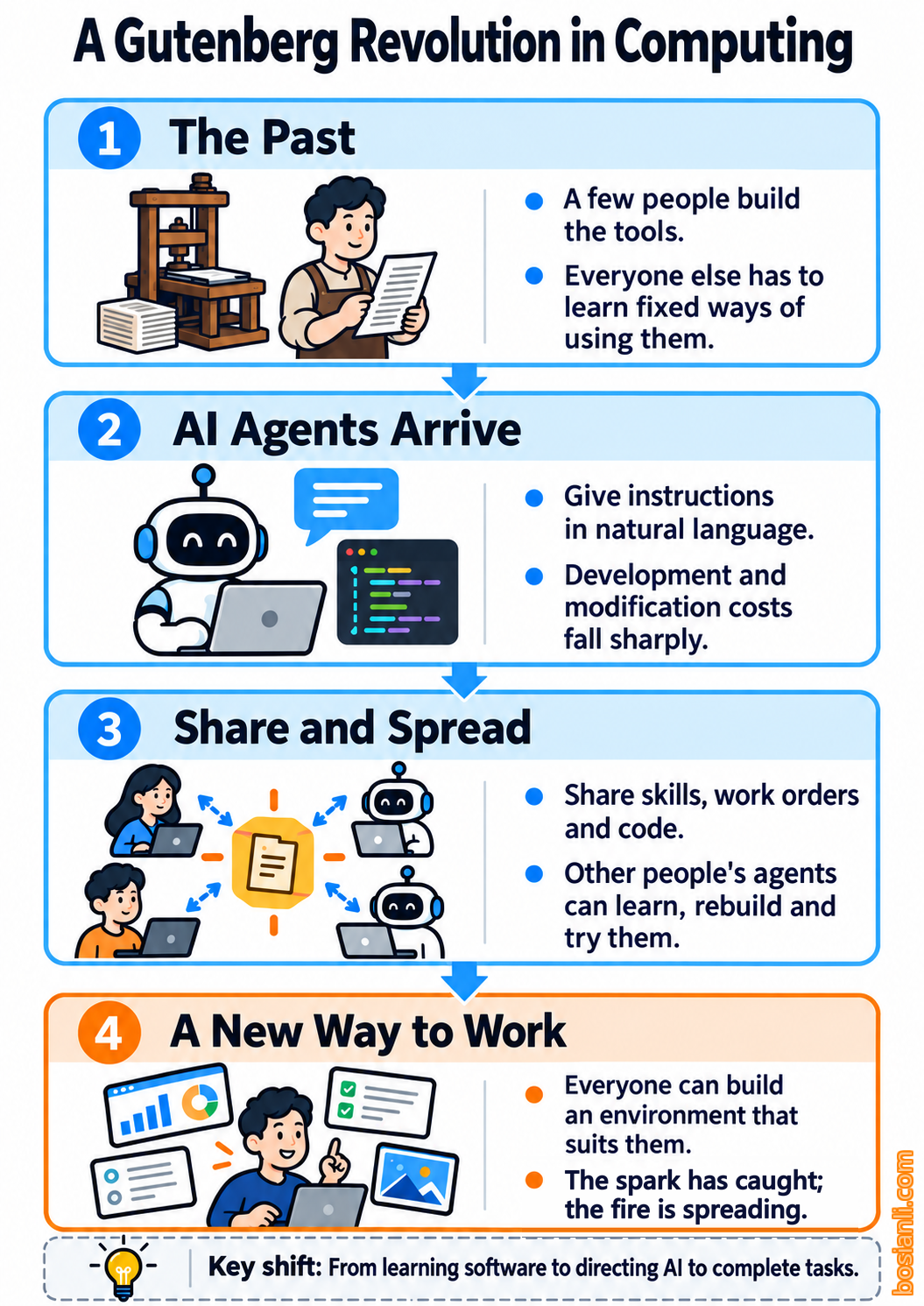
I think this is a Gutenberg revolution in computing.
Of course, comparing AI’s development to the Gutenberg revolution isn’t my original idea. Tech leaders such as DHH and Shopify CEO Tobi Lütke have long been sharing how AI agents are changing software development and the way people work. I’m simply drawing on my own ideas and firsthand experience with AI agents to explain how I see the future of work.
The significance of Gutenberg’s printing technology wasn’t just that books could be printed faster. It dramatically changed the cost of reproducing and spreading knowledge. Now AI agents are creating a similar change in software.
In the past, the ability to develop and modify software was concentrated among developers with the technical skills. The open-source movement made code freely available to obtain and modify. But for an ordinary user who couldn’t program, having the source code didn’t mean actually being able to change it.
AI agents are breaking through that barrier.
Suppose someone uses an agent to build a highly efficient workflow and shares the complete code, configuration, documentation, tests and agent skills. What other people need to do might be as simple as telling their own agent: "Study this project, see how it works and build me a version that suits my needs."
Don’t like the original UI? Change it. Missing a feature you need? Add it. Found a better tool? Replace the old one.
This way of sharing could spread the ability to develop and customize software in ways we once couldn’t imagine. And people don’t have to use exactly the same software. Everyone has different preferences, habits and needs.
I’m incredibly excited about the future. This isn’t some distant prediction I’ve read in the news.
I’m already taking part in it, and I’ve already felt its tremendous power.
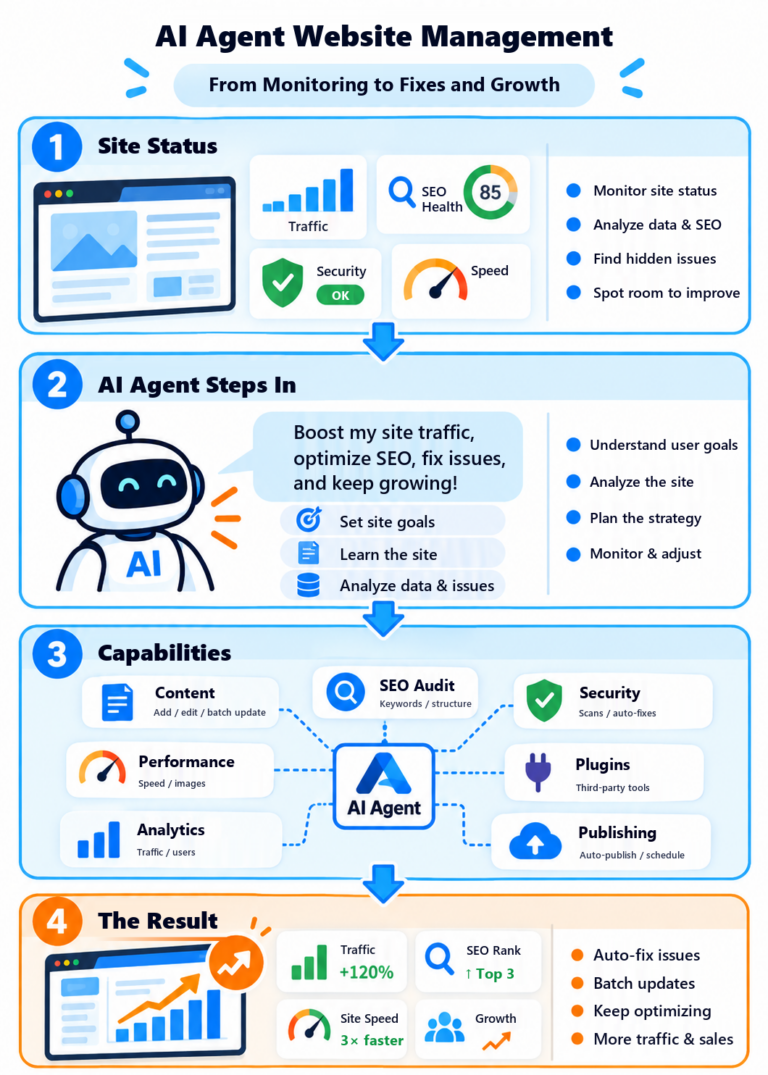
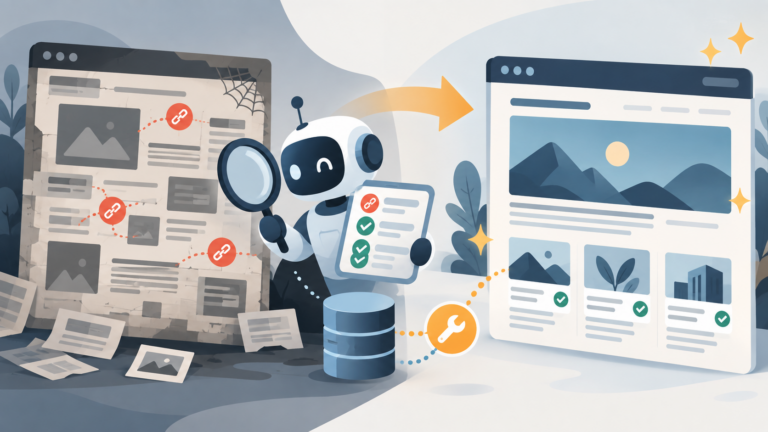
I’ve already started having Codex manage my WordPress websites, handling article publishing, databases, site features and all kinds of maintenance. I no longer need to open the WordPress dashboard for everything and work out where each feature lives. I can say what I need and have an agent do it. If the existing features aren’t enough, let it develop them. If the workflow doesn’t suit my habits, let it change it.
I don’t need to actually build Linuxows to prove my point. Nor do I need to turn AINOS into a publicly released product right away. For me, this revolution is already happening in my daily work.
Microsoft obviously won’t collapse because of this, and traditional software won’t disappear overnight. But I don’t think that’s the point.
What really matters is that every one of us has been given the ability to build an environment that best suits the tasks we need to accomplish.
We no longer need to spend huge amounts of time studying how to operate a piece of software just to get work done. Nor do we need to ask technical experts to grant our wishes, petition them or beg them to build features that fit our habits.
We can tell an AI agent exactly what we want to accomplish in our own native language. Need a database? Use one. Need code? Have it write the code. Need a graphical interface? Have it build one. Need to change an operating system? Have it study and modify it. If the existing tools already work well enough, keep using them. There’s no need to build them again.
That’s how I think people should be able to work.
We use computers to solve problems, not to learn how to operate computers.
For decades, we were forced to accept that compromise. Now, at last, we can break free.
The spark has already caught, and the fire is spreading.