Boris Cherny: How the Creator of Claude Code Uses AI Agents — From 13 Practical Techniques to a Future Without Writing Code by Hand

In February 2026, Boris Cherny told Lenny Rachitsky that he had not personally edited a single line of code since November 2025. He still shipped 10 to 30 pull requests per day, but the actual code was written by Claude Code. Even more strikingly, he said he did not miss the old way of writing code by hand; he felt he was enjoying software creation more than ever.
This is not the story of a non-technical beginner discovering AI coding for the first time. Boris worked as an engineer at Meta, helped manage quality in large codebases, and wrote Programming TypeScript. He has deep roots in traditional software engineering, yet he is also one of the people most willing to redesign his own workflow around AI agents.
In January 2026, he shared 13 personal techniques for using Claude Code. Later that month, he shared 10 more advanced ideas collected from other members of the Claude Code team. In later interviews, he described another step forward: he moved from directly prompting Claude, to managing many parallel agents, to designing recurring loops that let agents keep working on their own.
What makes these materials worth preserving is not just the headline that “AI boosts productivity.” It is the concrete detail of how Boris structures work, configures tools, validates results, and keeps abandoning old habits as models improve.
Editorial note: This is a feature article distilled from multiple interviews and public posts by Boris Cherny. It is not a verbatim transcript. Any product features, commands, model versions, or workflow details described here reflect the point in time when Boris discussed them. Example prompts in this article are explanatory examples, not guaranteed copies of his original wording.
1. Who is Boris Cherny, and how did Claude Code begin?
In a talk at the Computer History Museum, Boris recalled that he started programming at around age 13 on a TI-83 calculator. At first, he wanted better grades in math exams. Soon he moved from storing formulas to writing small solvers, and eventually even worked with Z80 assembly. Programming, for him, was always a way to turn a problem into an executable method.
In 2024, he joined Anthropic Labs to explore what kinds of products large language models could enable. At the time, most coding assistants still focused on autocomplete or code snippets. Engineers often had to copy the output back into their development environment and manually do the rest.
Boris’s first prototype of Claude Code was much smaller than the product later became. It was essentially a terminal chat program that could call a model API. He chose a CLI not because he had already decided that the terminal was the future, but because it was the fastest way to build something without designing a graphical interface first. He then began giving the model tools such as Bash and watched what it did.
One of the moments that changed his thinking was simple: he asked Claude what music was currently playing on his computer. Claude did not have a dedicated music-player integration, so it wrote AppleScript on the fly and used the machine to inspect the active track. That experience showed Boris that a model did not necessarily need a custom button for every action. If it had access to sufficiently general tools, it could often find its own way.
That insight became one of the defining ideas behind Claude Code: rather than pre-designing a button for every operation, let the model read and write files, use the command line, call tools, and act toward a goal.
2. From writing code by hand to letting Claude write all of it
Claude Code was not amazing at coding from day one. Boris has said that, early on, he used it more for Git operations, Bash work, and simple automation than for serious coding, because the models were not yet good enough to reliably handle more complex engineering tasks. He didn’t pretend that Claude Code could do everything from the start simply because he was building it.
But model capability improved quickly. Boris gradually delegated more and more software work to Claude. By November 2025, he realized that he had gone weeks without personally editing code. At one point, he even uninstalled his IDE because he had not opened it in so long.
In Lenny’s Podcast, he said he could still land 10 to 30 pull requests a day. In a later Sequoia interview, he mentioned that he once pushed the workflow to an extreme and submitted around 150 PRs in a single day. Those numbers came from different moments in time and from his own experience; they should not be read as a universal benchmark for all engineers, nor do they imply that every PR was equally large.
What he does now is closer to defining goals, discussing architecture, reviewing plans, supervising active agents, and checking whether the results are acceptable. In this workflow, judgment still matters a great deal, but personally typing code is no longer a prerequisite for building software.
3. Boris Cherny’s 13 personal Claude Code techniques
On January 2, 2026, Boris publicly shared his own working setup. He described it as relatively ordinary: no elaborate custom setup. He also stressed that there is no single correct workflow for everyone. Even within the Claude Code team, people work very differently. The techniques below preserve the concrete names and practices he discussed, while adding context about how they were meant to be used.
Tip 1: Run five terminal sessions in parallel
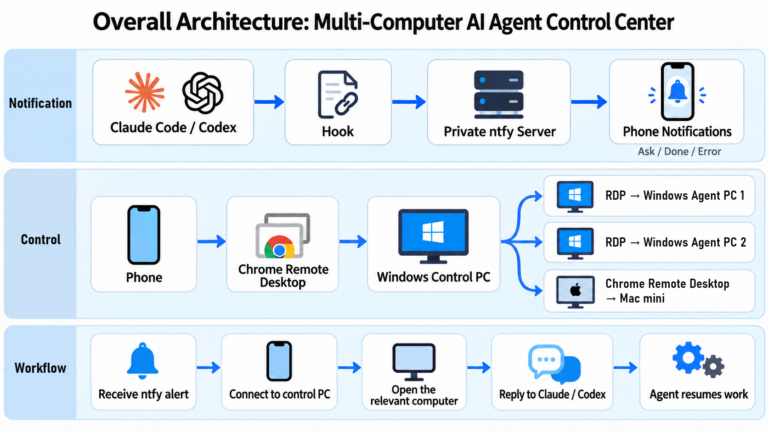
Boris keeps five Claude Code terminal tabs open at the same time, usually numbered 1 through 5, with each tab handling a relatively independent task. One session might build a feature, another might investigate a bug, a third might read through the codebase, while others might add tests or organize documentation. Notifications tell him when one of the sessions needs attention, so he does not have to stare at a single task and wait.
The practical point is not just “open many tabs.” If several agents are touching the same repository, they need isolated working directories such as separate checkouts or worktrees. Otherwise, parallel sessions will collide with each other. Boris personally leaned toward multiple independent checkouts at that time, while some of the later team tips revolve around Git worktrees.
A simple real-world pattern is to maintain separate directories such as project-feature/, project-bugfix/, and so on, launch Claude in each, and merge the work through normal review later.
Tip 2: Also run five to ten cloud sessions, and start work from a phone
In addition to the local terminal sessions, Boris said he also kept roughly 5 to 10 sessions running in claude.ai/code. He mentioned features such as using & to hand off background work and --teleport to shift between execution contexts. These are product-level features that can evolve over time, so anyone reproducing the workflow should re-check current documentation.
He also described starting tasks from the Claude mobile app in the morning or during idle moments, then coming back later to inspect the results. This matters because it turns software work into something not entirely tied to a single desktop setup. What matters is that the agent can keep progressing on a task after it has been kicked off.
Tip 3: Prefer the strongest reasoning model
When Boris described his January 2026 setup, he said he was using Opus 4.5 Thinking for everything. The reason was not cost or speed. It was reliability and tool use.
A smaller or cheaper model might require more corrections, more retries, and more human supervision. A stronger model might cost more per call but finish the full task more quickly with less back-and-forth. Boris’s metric was the total cost and time needed to finish the work, not the token price of an individual interaction. That was his own preference at that time; it should not be turned into a rule that every task must always use the most expensive model available.
Tip 4: Use a shared CLAUDE.md and turn recurring mistakes into rules
The Claude Code team keeps shared instructions in a repository-level CLAUDE.md under version control. When a review reveals an avoidable mistake that is likely to recur, the team can encode that lesson as guidance for future runs.
In the Y Combinator interview, Boris said that his own personal CLAUDE.md at the time was extremely short. It contained only two habits: enable auto-merge when opening a PR, and post the PR to an internal team channel for review. Everything else lived in the team’s shared file.
He also warned against letting CLAUDE.md become a giant dumping ground. If the file becomes bloated, repetitive, or even contradictory, it may need to be trimmed back, with rules added again only when the model needs them. As the models improve, many rules that once needed to be written down may simply stop being necessary.
Tip 5: Call Claude directly inside GitHub code review
Boris does not treat AI as something that must live only inside the terminal. In the team’s GitHub review flow, Claude could be invoked from inside pull-request discussions to fix problems, update docs, or codify lessons into CLAUDE.md. The exact tagging syntax and action wiring were team-specific integration details at the time, so they should not be assumed to exist identically in every repository.
The deeper idea is that AI should appear where work already happens. If a code review already contains the context and the critique, it is inefficient to manually copy the whole discussion elsewhere just to ask an agent to act on it. The agent’s work can then go through the usual review process.
Tip 6: Start important tasks in Plan Mode
Early in 2026, Boris relied heavily on Plan Mode. In the Y Combinator interview, he said that roughly 80% of his sessions started that way. Claude would first read the existing code, understand the request, compare implementation options, and discuss how the result should be validated. Only after the plan felt solid would he let the model start editing code.
The important pattern here is not a single button. It is the deliberate separation of design and execution. For example, he might first ask what modules will be affected, whether database migrations are involved, how rollback should work, and what tests will define success. Once the plan is sound, actual implementation tends to go more smoothly.
At the same time, Boris also predicted that stronger models should eventually learn to decide by themselves when planning is needed. This reflects a workflow that keeps evolving; it doesn’t mean he had completely abandoned Plan Mode.
Tip 7: Turn repeated operations into slash commands
Boris packages repeated workflows as slash commands. At the time, these lived under .claude/commands/ and were versioned in Git. One of his examples was /commit-push-pr, which bundles together the process of checking status, creating a commit, pushing the branch, and opening a pull request.
He also used Bash to gather structured information such as git status before handing the problem to the model. If some information can be fetched deterministically, it is often more efficient to do so than to force the model to rediscover it each time.
That path reflects the Claude Code configuration at the time; custom commands and Skills have continued to become more closely integrated. Preserve the historical details, but check the current version before applying them.
Tip 8: Use sub-agents for specialized work
Boris mentioned sub-agents such as code-simplifier, which reviews code after the main implementation is done and tries to make it cleaner, and verify-app, which follows testing instructions to validate an application. These examples came from his public discussion and should not be misread as universally installed official agents that everybody automatically has.
The value of sub-agents is role separation. One agent can own the feature, another can specialize in testing, another can inspect architecture or duplicated logic. When the work can be decomposed into relatively independent threads, this can improve both quality and speed. When tasks are highly interdependent, however, too many agents can create coordination overhead.
Tip 9: Use a PostToolUse hook to auto-format code
The Claude Code team used a PostToolUse hook so that after Claude writes or edits code, the project can automatically run a formatter such as bun run format. The point is to let deterministic tools handle style and formatting while reserving model effort for tasks that actually require understanding. It also reduces CI failures caused by formatting.
In practice, hooks should be carefully scoped, should verify that the command exists, and should avoid expensive or risky project-wide actions on every tiny edit. The general lesson is powerful: if a reliable conventional tool can do a job, let that tool do it.
Tip 10: Use /permissions to pre-approve safe operations
Permission prompts can interrupt long-running work, but Boris was not advocating the blanket removal of safety checks on a normal machine. Instead, he used /permissions to pre-approve common commands that had already been judged safe, and some team defaults could live in .claude/settings.json.
When fully unattended work was needed, he discussed running with looser permissions inside an isolated sandbox. That is a different situation from a normal working directory. Fine-grained permissions for everyday work and relaxed permissions inside a controlled isolated environment are not the same thing, and they should not be conflated. Convenience is no reason to remove safeguards across a production website, database, or host.
Tip 11: Let Claude use Slack, BigQuery, and Sentry directly
Boris lets Claude access the systems he already uses for work, via MCP or CLI, including Slack, BigQuery’s bq CLI, and Sentry. If there is a bug to investigate, he does not first have to manually open all those tools, collect screenshots and logs, and then paste them into a prompt.
Within the boundaries of approved permissions, the agent can gather the data itself, read the code, inspect the metrics, and suggest a fix. This does not mean agents should be given unrestricted access to sensitive systems. It means they become more useful when they can operate on the same tools humans already rely on.
Tip 12: After long-running work, trigger a follow-up validation step
For long tasks, Boris does not want Claude to simply stop after producing code. He described approaches such as starting a follow-up validation agent or using a stop hook to trigger additional checks. He also mentioned iterative patterns similar to Ralph Wiggum.
A concrete example would be: implement a feature, then run an integration test, and if the test fails, analyze why and try again rather than just reporting “done.” Background workflows of this kind still need stop conditions, retry limits, and resource boundaries.
Tip 13: Most importantly, let Claude verify its own work
Boris repeatedly stressed that the single most important upgrade is giving Claude a way to validate the job it has done. He talked about having Claude use a browser to test a website, inspect the page, and then fix the problem based on what it actually observed. In other contexts, tests, APIs, compilers, simulators, or command output can play the same role.
He estimated that strong verification loops could improve output quality by two to three times. That number should be treated as his practical intuition, not a universal guarantee for every task.
The deeper point is that an agent should not be trusted just because it claims success. If it can compare its result against reality, it can discover mistakes, repair them, and try again. That is one of the key transitions from “chatbot” to “reliable working system.”
4. Ten advanced techniques from the Claude Code team
On January 31, 2026, Boris shared another ten techniques, but this time he explicitly said they came from other Claude Code team members rather than from his own personal everyday setup. That distinction matters. The goal is not to blindly copy every behavior, but to understand the broader range of workable patterns.
Team Tip 1: Use three to five Git worktrees with different sessions
Many engineers on the team run three to five worktrees in parallel, with a separate Claude session inside each working tree. This lets feature development, bug fixing, and investigation proceed side by side without constantly stomping on the same local files.
For example, in a Git project:
git worktree add ../myproject-search -b feature/searchThen launch Claude inside that new directory. Other tasks can live in their own worktrees. The work still needs normal review, testing, and merge discipline, and shared resources such as databases or build artifacts are not automatically isolated just because the code checkout is.
Team Tip 2: If things go sideways, re-plan — or ask a second Claude to review the plan
When Claude has drifted into a bad implementation path, repeatedly telling it to patch over the damage may only make the result messier. Some engineers go back to Plan Mode. Others ask a second Claude to review the first plan from the perspective of a senior engineer.
The second agent has an independent context and therefore a better chance of challenging assumptions the first agent has already internalized. It is not guaranteed to be more correct, but it is often a useful additional check.
Team Tip 3: Turn mistakes into better instructions, but do not let CLAUDE.md sprawl forever
After correcting Claude, a user can ask whether the mistake is likely to recur and whether it should become a reusable instruction. Only lessons that are both recurring and broadly useful should move into CLAUDE.md; one-off personal quirks should not become global rules.
Some team members also keep richer notes elsewhere so that the core CLAUDE.md stays tight and focused. That complements Boris’s own minimalist style rather than contradicting it.
Team Tip 4: Turn recurring workflows into Skills
Team members build Skills for things like scanning technical debt, doing data analysis, or gathering updates from work tools. A technical-debt Skill might tell Claude how to search for duplication and fragile areas; a data-analysis Skill might define the access path, field meanings, and validation steps.
Some of these flows connect to Slack, GitHub, Google Drive, or Asana. That does not imply skipping permissions or user oversight; it means approved workflows can become reusable operational capabilities.
Team Tip 5: Hand CI failures and logs directly to Claude
Instead of making an engineer manually gather every piece of evidence first, the team often has Claude inspect CI failures, test results, and logs directly. Claude can try to localize the issue, reproduce it, propose a fix, and re-run validation.
Boris gave the memorable example of a memory leak he was investigating by examining a heap dump with traditional tools, while another engineer simply asked Claude to analyze the problem. Claude wrote its own helper tooling and found the issue faster than he did. The story is a reminder that experienced engineers also need to periodically re-evaluate what the model can now do.
Team Tip 6: Ask Claude to prove that the change works
Another team practice is to ask Claude for evidence, not just completion. That can mean comparisons of before and after behavior, a reproducer that now passes, CI output, browser evidence, or measurable results. If the current fix works but is only mediocre, engineers may also ask Claude to reconsider: now that it understands the real cause, is there a simpler design?
This isn’t a request for endless refactoring to make code look nicer. It sets clear acceptance criteria so the result doesn’t depend only on the model’s own assessment.
Team Tip 7: Use terminal and environment setup to make parallel sessions easier to manage
Some team members especially liked terminals such as Ghostty for rendering, color, or Unicode support, but that was a matter of preference, not a requirement from Boris. Others use tmux, colored tab themes, or shell aliases to keep multiple sessions and worktrees straight.
The /statusline feature can also be customized so the user can always see branch names, context usage, and other details. For anyone juggling many sessions, simply knowing where they are is more valuable than arguing about terminal brands.
The team also discussed voice input. Some people find it easier to explain a problem out loud than to type it, especially when a task needs a lot of context. The macOS shortcut examples from that discussion should be treated as examples, not as mandatory platform-specific requirements.
Team Tip 8: Use sub-agents for parallel research and cleaner context windows
For difficult bugs or unfamiliar codebases, team members sometimes append a direct instruction such as “use subagents” so Claude will distribute parts of the investigation. One agent might inspect logs, another might inspect architecture, another might search for design alternatives.
This helps keep the main context window cleaner rather than stuffing every investigation path into one conversation. Boris also talked in the Y Combinator interview about the value of relatively uncorrelated context windows.
The original discussion also touched on ideas such as using hooks to route certain permission requests through another model. That should not be copied blindly as a universal safety mechanism. Real deployments still need tested hook events, explicit environment boundaries, and robust human-defined access control. Models must not bypass production authorization for websites or databases.
Team Tip 9: Use CLI and Skills for SQL and data analysis
Boris has said he no longer needs to write SQL by hand. The team has BigQuery-related Skills so that Claude can query data through the bq CLI, compare hypotheses, and examine results.
The same idea can apply to other data systems, provided they expose a CLI, API, or MCP pathway and the queries can be validated. It does not mean an agent should be allowed to run destructive production queries without oversight.
Team Tip 10: Use explanation modes, HTML explainers, and spaced repetition to learn systems
The team also uses Claude Code to learn unfamiliar technologies. For example, the Explanatory and Learning output modes available through /config at the time could explain why Claude was making a code change. Users could also ask for HTML explainers, ASCII architecture diagrams, or a question-and-answer walkthrough of a new protocol or complex codebase.
Another idea is a spaced-repetition Skill: the user explains what they think they understand, Claude asks follow-up questions, exposes blind spots, and helps preserve the most important points for future review.
This is especially useful for onboarding. A new engineer does not need to interrupt a senior teammate with every small question; Claude can read authorized code and documents and provide background — although the results still depend on the quality of the information, access permissions, and checking the answers.
5. From many sessions to loops: agents that keep working
In later interviews, especially the Sequoia conversation, Boris described a workflow that had moved beyond the “five terminal tabs” stage. He said a large share of his work was now being managed from the Claude mobile app, with five to ten main sessions active at a time and many more agents spun off underneath them.
He described having hundreds of agents working at once, and even thousands for deeper overnight work. Those figures came from a particular moment in his own workflow and should not be mistaken for a default or cost-effective setup for everyone.
More important than the numbers is the idea of loops: recurring workflows that let agents continue handling classes of work automatically.
Loop 1: Automatically maintain pull requests
Boris has a loop that watches his PRs, helps with CI failures, updates branches, and handles rebasing work. In a traditional workflow, an engineer would check and repeat these tasks manually. With a loop, the agent can keep doing them in the background. Anything involving merges or production release policy still has to respect the project’s governance.
Loop 2: Continuously maintain CI health
Another loop watches CI itself. If tests are flaky or unstable, the loop can investigate and try to improve them. This moves quality work from a reactive mode — “someone reported a failure” — toward a continuous cycle of observation, diagnosis, validation, and improvement.
Loop 3: Periodically organize user feedback
Boris also described a loop that gathers social-media feedback every 30 minutes and classifies what it finds. He does not have to manually ask Claude to reread every comment thread to stay current on what issues are piling up.
In the Acquired Unplugged interview, he summarized the evolution clearly: first he wrote code in an IDE by hand; then he used prompts to direct Claude; later he managed multiple Claudes in parallel; now even some of the “prompt Claude” work is itself being delegated to loops. His job increasingly becomes designing those loops.
He also mentioned Routines: a related concept that can keep running server-side so the work does not stop when a laptop is closed. Whether to use such capabilities depends on the current product surface, permissions, and deployment constraints; the naming and implementation details may evolve over time.
6. Getting more out of existing code and tools
In multiple interviews, Boris has argued that agents which can read an entire codebase make existing modules more useful for new work. Developers no longer need to describe every architectural pattern from scratch.
Instead, they can point Claude at a particularly well-designed existing module and ask the new implementation to follow the same naming conventions, error handling style, and design principles. Models are good at pattern extraction, which means the historical codebase becomes not only a maintenance burden but also a source of reusable implementation guidance.
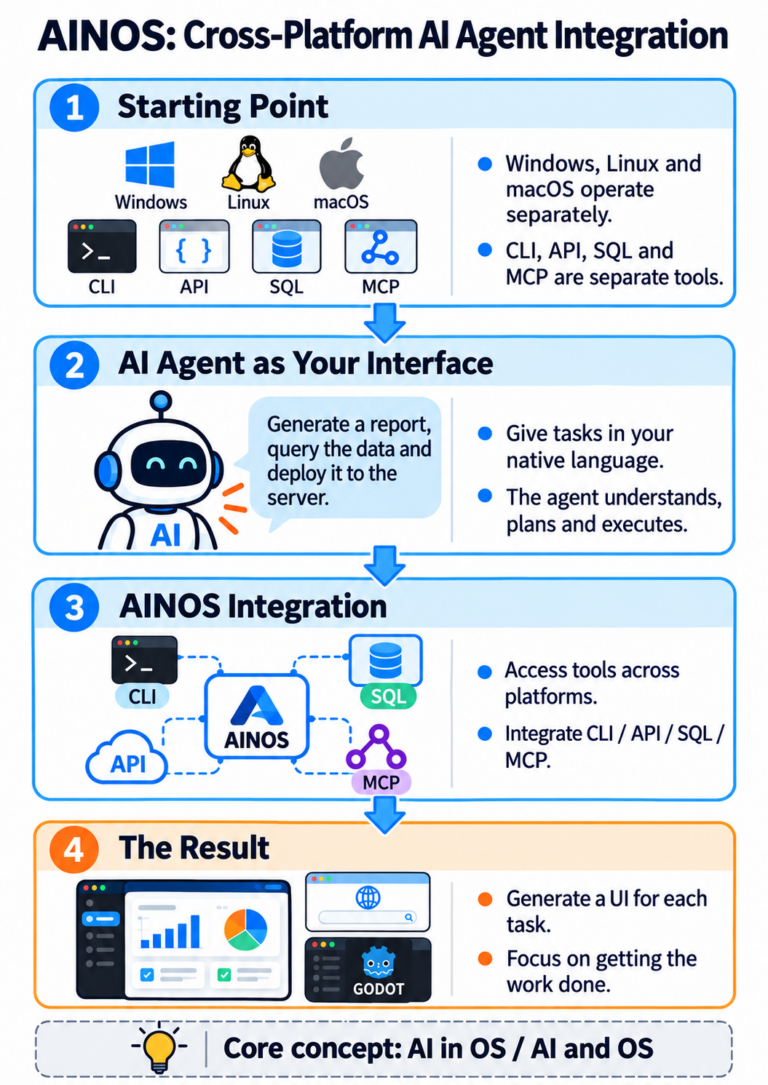
Boris also values existing CLIs, APIs, and MCP bridges. Claude Code does not need to reinvent databases, version control, or every external system. If it can safely call mature tools, it can often do much more than a plain chat interface.
At the Computer History Museum, he drew a sharp line between ordinary chatbots and agents: agents do not only answer; they act. That helps explain why he cares so much about tool use, verification, and automation.
7. His newer prompt philosophy: clearly specify the goal, the level of effort, and the way to verify success
In October 2026, Boris again discussed how he communicates with Claude. His view was that as the models get stronger, most work no longer needs overly elaborate or hyper-prescriptive prompts. The best instruction often looks more like assigning work to a capable colleague.
He emphasized three elements: what needs to be done, how much effort the task deserves, and how the agent should know it got the result right. This fits cleanly with his earlier insistence that verification is one of the most important ingredients in high-quality outcomes.
For example, the following is an illustrative prompt shaped by those three principles — not a verbatim Boris quote:
Please add on-site search to this website. This is a production feature, so study the existing WordPress architecture carefully and choose a simple, maintainable approach. When you finish, test it on desktop and mobile, check edge cases, permissions, and search results, and show concrete evidence from those tests before telling me it is ready.
This request does not micromanage which command has to be used at every step. It defines the goal, the expected level of care, and the success criteria. It lets the agent choose the path while the human still defines what success means.
Is this inconsistent with his earlier emphasis on Plan Mode?
At first glance, it might look inconsistent: early in the year Boris said around 80% of his work started in Plan Mode, while later he argued against excessively detailed prompts.
In practice, the two positions reflect the evolution of the models and of his workflow. When the model is less reliable, humans have to do more explicit planning and tighter supervision. As the model grows stronger, it should increasingly decide on its own when to plan, investigate, and validate. That does not mean removing all review from important work; it means reducing unnecessary human micromanagement.
8. AI agents that discover, fix, and improve things on their own
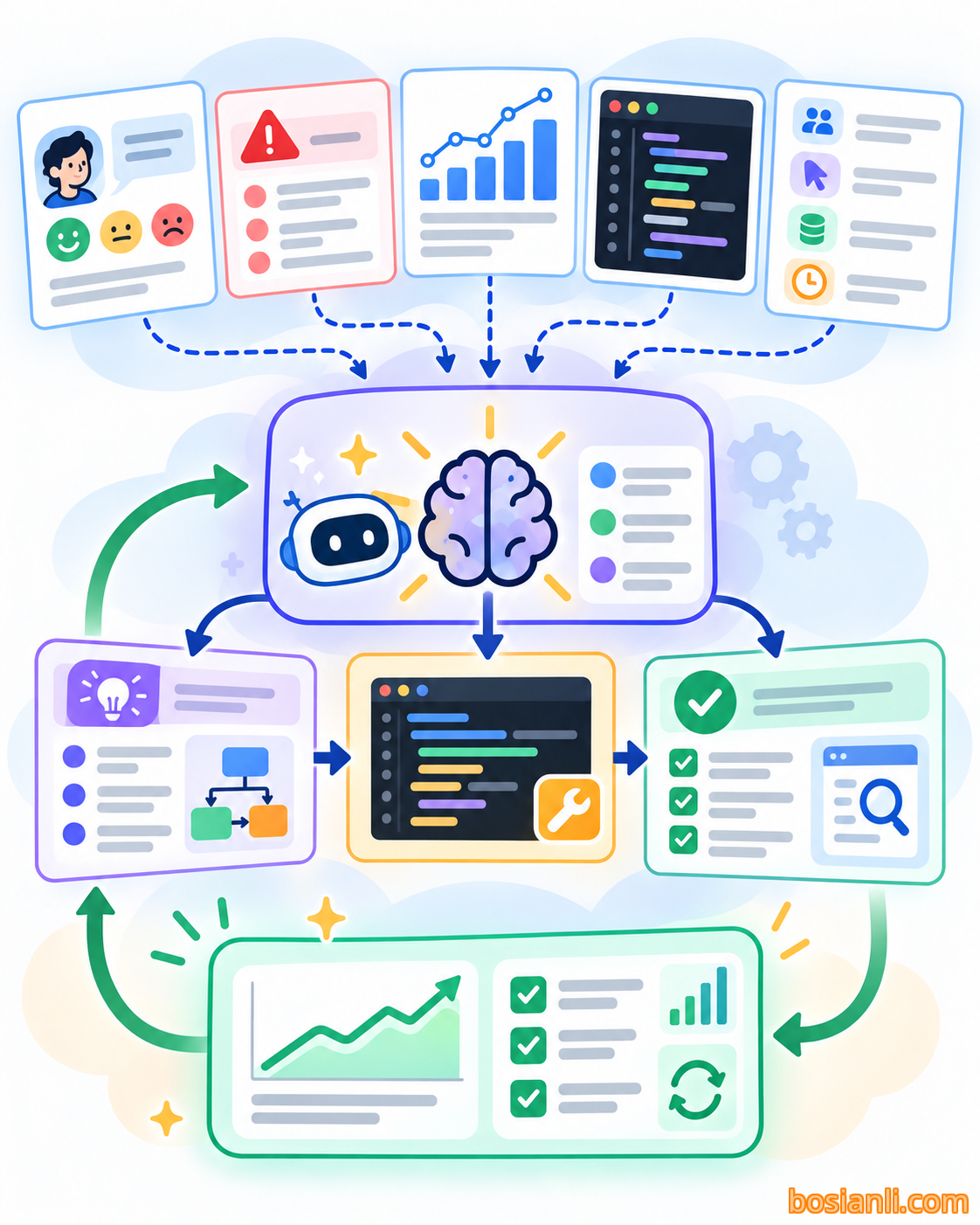
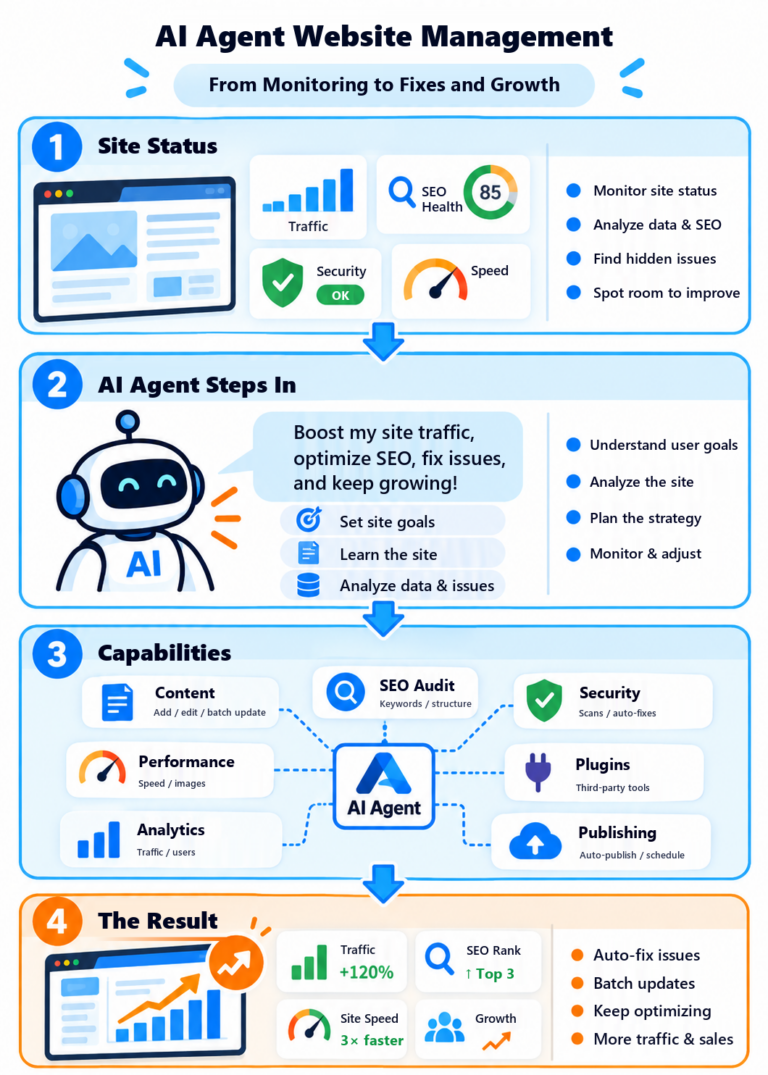
Boris’s use of loops and tools points toward the next stage: humans no longer need to be the ones who manually notice every issue and then assign it to an agent. Within approved data sources, agents can continuously watch error logs, test results, product metrics, and user feedback and surface problems worth addressing.
Once a problem is identified, the agent can read the code, analyze possible causes, propose a change, run tests, and continue improving the solution based on real results. That becomes a cycle of observation, analysis, repair, validation, and renewed observation.
In the Y Combinator interview, Boris even said that Claude could sometimes use git blame to locate the engineer who had previously touched a piece of code, then ask that engineer for context through Slack, and continue the work after getting an answer. That stretches the notion of an agent beyond mere code generation into cross-system coordination.
But greater autonomy does not mean unlimited permission. Any agent that can touch production systems, publish content, or interact with sensitive data still needs traceable permissions, clear logging, and sensible review thresholds. In real operational environments, these controls are central to whether agent-driven workflows can be trusted.
9. Build products for the model six months from now
A recurring principle Boris emphasized in the Y Combinator interview is that product builders should not design only for the model that exists today. They should ask what the model will likely be able to do six months from now.
Claude Code itself evolved this way. Early on, it was more useful for Bash and Git than for coding. Then it became capable of end-to-end feature work. Then it became capable of following longer plans with less intervention. Then loops and sub-agents made more sustained autonomous work possible.
That is one reason Boris remains suspicious of overly complicated frameworks. Many rules that are built solely to patch the weaknesses of a current model may become unnecessary with the next generation. For him, repeatedly testing what the latest model can now do is more valuable than clinging to a workflow optimized for last year’s limitations.
He also cares about latent demand. For example, users were already creating their own Markdown instruction files and asking Claude to read them; that user behavior became a clue that eventually solidified into CLAUDE.md. Users repeatedly asked Claude to plan before writing code; that behavior fed into Plan Mode. Good product ideas are not always born from a giant top-down blueprint. Sometimes they emerge by observing what users are already trying to make the system do.
10. How software engineers become builders

Boris argues that as the cost of implementation falls, the traditional boundaries inside software work begin to blur. In the Claude Code team, not only engineers but also product managers, designers, data scientists, and others have already used Claude Code to produce tools and code that can be used in real work.
He uses the word builder to describe this emerging role. The crucial skill is no longer only mastery of a programming language. It is the ability to identify meaningful problems, understand user needs, choose the right direction, and then use agents to turn that direction into working products.
In the Sequoia interview, Boris used accounting software as an example. If coding becomes relatively easy, then the person best positioned to build accounting software may be a world-class accountant rather than a conventional software engineer. Deep domain knowledge and a strong grasp of the real problem can become more valuable than raw code-writing speed.
This does not mean professional engineers disappear overnight. Instead, the center of gravity of their value may shift toward architecture, judgment, quality, and cross-disciplinary integration. Meanwhile, new builders may emerge who do not hold traditional engineering titles but can nevertheless create tools that once required an entire engineering team.
11. Boris Cherny’s vision of the future
Boris likes to place software development inside a longer technological arc. In the Sequoia interview, he compared the spread of software creation to the spread of literacy after the printing press. Reading and writing used to be concentrated in the hands of a small number of people; over time, they became common capabilities. He thinks software creation may go through a similar democratization, and perhaps much faster.
If accountants, carpenters, plumbers, designers, researchers, and many others can use agents to create software for their own needs, software stops being only a product made by specialists for everyone else to buy. It also becomes a capability people can exercise directly.
Boris’s own working life is one of the clearest illustrations of that shift. He moved from writing code by hand, to prompting Claude, to managing multiple agents, and then to building loops that keep work moving on their own. The result, in his telling, is not that he has lost the joy of making software; rather, he feels closer than ever to the things he actually wants to build.
If code is no longer the main bottleneck to creating software, then the most important ability becomes knowing what you want to create — and how to use AI to make it happen.
References and sources
This feature brings together Boris Cherny’s views and working methods; it isn’t a transcript. Any product features, commands, model versions, session counts, or PR counts should be read in the context of when those remarks were made. Real-world implementation should always be cross-checked against current product documentation and current security constraints.
- Boris Cherny: personal Claude Code setup (January 2, 2026) (opens in new tab)
- Boris Cherny: techniques from the Claude Code team (January 31, 2026) (opens in new tab)
- Y Combinator, “Inside Claude Code With Its Creator Boris Cherny” (opens in new tab)
- Lenny’s Podcast, “Head of Claude Code: What Happens After Coding Is Solved” (opens in new tab)
- Acquired Unplugged, “Boris Cherny: Claude Code & the Future of Engineering” (opens in new tab)
- Sequoia Capital interview, “Coding Is Solved” (based on the user’s previously preserved Chinese transcript)
- Computer History Museum, “Anthropic’s Boris Cherny, Creator of Claude Code” (based on the user’s previously preserved Chinese transcript)
- Coverage of Boris Cherny’s October 2026 prompt advice (opens in new tab)